ERP, MES, APS, WMS - what they are and when they are really worth implementing in a manufacturing company
A window joinery producer from Wielkopolska, 45 employees, once asked me on the phone: "Mateusz, I have Comarch Optima, I have an Excel with the production plan, I have the warehouse in the head of the warehouse keeper. What do I need MES, APS and WMS for?" He asked me this on a Wednesday at 10:00. By 14:00 he called back, because over the last four hours it turned out that half of the order was behind, the warehouse keeper was on holiday, and the Excel showed Monday's state. That is exactly the moment when this article makes sense.
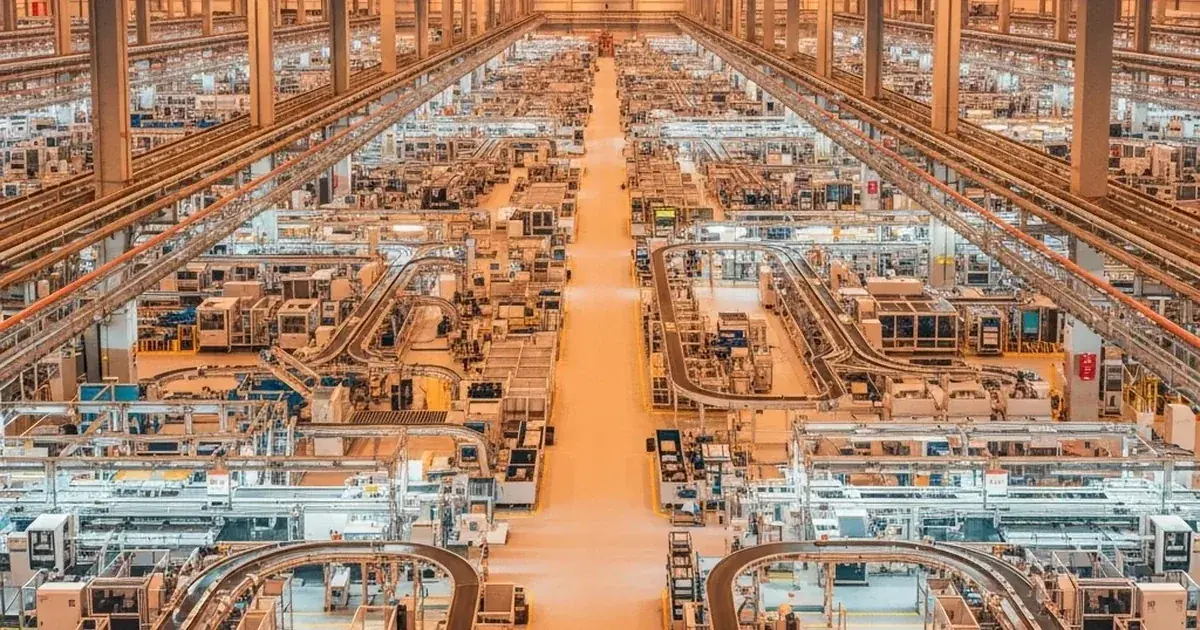
What do these acronyms actually mean - and why do people keep mixing them up?
The simplest way I can explain it: imagine a restaurant kitchen. ERP is the system where the waiter records the order and issues the invoice. APS is the head chef, who arranges the order of dishes so that table 4 does not wait while table 7 gets everything at once. MES is the screen in the kitchen showing live: soup ready, main course in 8 minutes, dessert not started. And WMS is the cold room and storage - it knows how many tomatoes you have and whether the flour is fresh.
Each of these systems does something different. The problem is that software vendors, marketing and sales decks throw everything into one bag labeled "the digital factory". And it is not one product. It is four different tools that solve four different problems. Sometimes you need all of them, sometimes two, and sometimes none of them - because at your stage ERP is enough.
| System | What it does | Who uses it | Problem without it |
|---|---|---|---|
| ERP | Manages company data: invoices, customers, accounting inventory, HR, orders | Accounting, office, sales, management | Chaos in documents, data in 5 Excel files, no single version of the truth |
| APS | Plans production - order sequence, machine load, deadlines | Planner, production manager | The plan falls apart every other day, deadlines slip, people shout across the floor |
| MES | Shows what is happening on the floor in real time, collects machine data | Foremen, floor staff, production director | You do not know where an order is, how much was done, who is responsible |
| WMS | Manages the physical warehouse - locations, FIFO, picking, stocktake | Warehouse staff, logistics, warehouse manager | Shortages, overstocks, endless "I have to check in the warehouse and call back" |
The most common mistake I hear: "I have an ERP, so I have everything." No. ERP is the system where you know that the customer ordered 500 units of product X for 20 May. But ERP will not tell you whether you will make it on time, whether machine 3 has a free slot on Thursday between 14 and 18, or whether there is 2 mm sheet metal in the warehouse. For that you need other tools.
ERP - foundation or just a data tank?
ERP (Enterprise Resource Planning) is the backbone of any company that wants data in one place. In Poland the most popular are Comarch ERP Optima, Comarch ERP XL, Subiekt GT, Enova 365, SAP Business One, Dynamics 365. They do the same thing: hold invoices, customers, contractors, accounting inventory, HR and payroll, basic financial reports.
And here is the problem I see in most manufacturing companies I talk to: ERP is great for running a business. But it is not great for running production.
Comarch Optima does have a production module. Subiekt GT has extensions. But they are modules bolted onto a system designed for trade and accounting. They make sense for simple jobs, a single machine, 10 floor staff. Above that scale you start hitting scenarios like: "Pani Krysia builds the production plan in Excel, because in Optima you cannot calculate when an order will land in a work cell".
Let me say it straight: if your company runs Comarch ERP, Subiekt or Enova and production planning is still done by hand in Excel - that is not your ERP's fault. ERP is not built for that. You do not blame the hammer for not driving screws.
What is worth doing at the ERP level is making sure the data there is clean: material indexes, BOMs, technology routings, standard costs. Because every next system you stack on top will rely on that data. Garbage in, garbage out. I have seen companies that rolled out APS on top of messy ERP data and were then surprised that the system was planning production using a material that had not been in circulation for two years.
APS - planning that does not lie
APS (Advanced Planning and Scheduling) is the system that sequences production orders across machines and people, taking availability, changeover times, priorities and deadlines into account. Put simply: if your planner spends 2 hours every morning in Excel manually arranging the order sequence, APS does it in 8 minutes and does it better.
Where does that come from? Optimakers (a Bydgoszcz-based company we partner with in manufacturing) reports time savings of up to 88% in planning on their OptiAPS product page. That is vendor data - the actual result depends on company size, order volume and the starting state. In practice, with producers of furniture, metal parts or plastics the scenario is similar: the time of daily planning drops from several hours to dozens of minutes.
It is not magic. A human cannot keep 12 variables in their head or in Excel simultaneously: machine availability, operator availability, tooling availability, material availability, changeover time from product A to product B (and sometimes B to A is shorter than A to B), customer deadline, order priority, prior operation sequence. An algorithm can. That is why a good APS does not replace the planner, it gives them a new tool. The planner becomes the person who approves the plan, handles exceptions, decides how to react to breakdowns. Not the one who clicks 700 cells per day.
The Gantt chart - the plan you can see
Typically, APS shows the plan as a Gantt chart: horizontal axis is time, vertical axis is resources (machines, cells, people), and the blocks on the chart are orders. You drag a block with the mouse and the system immediately shows what will break elsewhere. If the planner wants to speed up order A manually, they see right away that this pushes order B to Friday, while customer B expects delivery on Thursday. That is exactly the information Excel will never give you.
MES - the camera on the shop floor you do not have yet
MES (Manufacturing Execution System) is the system that tells you what is happening on the floor right now. APS builds the plan, MES watches whether the plan is being executed. They are two different things. APS is a chess master seeing 20 moves ahead. MES is the camera at the chessboard showing what was just played.
In practice it looks like this: on the floor you have a reporting panel - usually a tablet, sometimes a terminal, sometimes a regular PC with a touchscreen. The operator walks up, enters a PIN, sees their shift tasks. They tap "start" on an order - the system knows the operation has begun. When they finish, they tap "end", enter the number of good pieces and rejects. That is all. The production manager sees on their screen how much has been made, where there are delays, who is working, where a machine is idle.
What does it give you in practice? After an MES rollout the plant primarily gains visibility into what is happening on the floor: real data about order progress, downtime and performance. The size of the improvement depends on the starting point - the bigger the chaos before, the bigger the effect. The benefits come from three specific things:
- End of "I do not know how much I made" - the operator tapped end of operation, the data is in the system. The foreman does not walk the floor with a notebook.
- You see downtime - if a machine stands idle for 40 minutes, the system shows it immediately. Previously you learned about it at the end of the shift, or not at all.
- Real data for settlements - piecework pay, customer settlements, cost calculation - all based on facts, not estimates.
I often hear: "But my workers will not tap that." I have heard this concern many times and in practice it usually goes away quickly. Workers tap it because it makes their life easier - they do not have to explain to the foreman why something took longer. The system itself shows that the machine was idle because of a material shortage, not because of the operator.
Important distinction: MES does not replace APS. They work together. APS plans, MES reports. The plan from APS flows into MES panels as a task list. Execution from MES feeds back to APS - and if something went wrong, the plan is updated. That is a feedback loop you will never build on Excel and paper job cards.
WMS - the warehouse that knows what it has
WMS (Warehouse Management System) is the warehouse management system. We are talking about the physical warehouse here - racks, locations, pallets, barcodes. Not to be confused with the accounting warehouse in ERP, which is just a record saying "we have 200 units". WMS says: "we have 200 units, of which 50 on rack A-12-03, 80 on B-04-07, 40 reserved for order 4521, and 30 past their expiry date".
Three typical problems of a bad warehouse that I hear every week:
- Shortages that should not exist - the system shows 100 units, physically there are 30, because someone took them and did not write it off.
- Overstocks nobody notices - you buy material every month because nobody knows there is a ton from last quarter at the back of the rack.
- FIFO nobody enforces - the warehouse keeper picks from the edge because it is more convenient. The older material sits until it expires or has to be written down later.
Typical effects of a WMS rollout: lower stock value (which is cash frozen in materials, returning to circulation), fewer warehouse errors thanks to barcode scanning, and faster production because the warehouse stops being a bottleneck. The size of the effect strongly depends on industry, scale and starting point - Optimakers describes for example a rollout where stock value dropped from over a million zlotys to around 450k PLN. Do not treat that as a guarantee - that is why we run an audit before every implementation and estimate the real return for the specific company.
Technically, WMS usually runs on mobile terminals with a barcode scanner. The warehouse keeper scans a product, the system tells them where to go, on which shelf to place it, how many units to pick for an order. RFID also appears, but in Polish reality it is still rare - in most warehouses barcodes are fully sufficient and much cheaper.
How it looks in practice - three implementation scenarios
The most common question I get: "Where do I start?" The answer depends on the size of the company and where it really hurts. Three real scenarios:
Small company, 20-50 people - start with WMS and MES
Here ERP is usually already in place (Optima, Subiekt). Planning can still be handled in Excel because there are not that many orders. But the warehouse is on fire and the foremen do not know who is doing what. We start with WMS (clean up the warehouse) and an MES panel (floor transparency). APS we add in the second phase, when the company grows.
Mid-size company, 50-150 people - APS + MES + ERP integration
Without APS it is no longer doable. The planner cannot keep up, deadlines slip, customers call. We roll out APS together with MES, plug it into the existing ERP (Comarch XL, Optima, Enova 365 - Optimakers has ready connectors for these systems). Sometimes we add WMS at the same time, sometimes we leave it for the third phase. What hurts most decides.
Large company, 150+ people - full stack APS + MES + WMS + CMMS + CRM
Here the whole platform usually comes in. APS plans, MES executes, WMS runs the warehouse, CMMS handles maintenance (machine reviews, breakdowns, spare parts), CRM holds orders and quotes. All integrated with ERP. Phased rollout - first the foundation (usually APS+MES), then we add modules. Trying to roll out everything in 6 months ends badly. Tested the hard way.
In every scenario three things are non-negotiable: real input data from ERP (BOMs, routings), a pilot on one area before a full rollout, and someone on the client side who drives it. Another important element is the integration between ERP systems and the IT helpdesk - we describe how that works in practice in our article on ERP integration with the helpdesk. Without an internal sponsor the rollout will fail - even the best software cannot replace the person who says "yes, we are doing this, let's keep going".
When NOT to implement a manufacturing system (or how to avoid these mistakes)
We already wrote a separate article on MES and APS implementation mistakes - worth reviewing if you are planning a project. Here is a short list of situations where it is better to pass or wait:
- The ERP data is in poor shape - BOMs out of date, indexes duplicated, standard costs from two years ago. First clean that up, then add on top.
- The board treats it as an "IT project" - it is not an IT project, it is an operations project. Without the production director and the owner involved, it will not succeed.
- The foremen are against it - because they were not consulted, not informed, feel the system is there to control them. They have to be involved from day one, not handed a finished solution at the end.
- The company is in the middle of an ERP change - then finish the ERP first, only then add APS/MES/WMS. Two revolutions at once is a guaranteed failure.
- You expect the system to replace the planner - it will not. A good system is leverage for a smart person, not a replacement for them.
Practical tip: Optimakers offers a 14-day free demo, no activation fees, no blood oath. If you are not sure whether APS, MES or WMS make sense in your company, build a sandbox with real data and see how it clicks. That takes half a day and saves half a year of deliberation.
Summary and next step
Coming back to the window joinery producer from Wielkopolska I started with: after three conversations it turned out he did not need a full APS right away. To start, MES will be enough - so he knows what is happening on the floor - plus a basic WMS to clean up the warehouse. APS we will add in the second year, once the company grows to 70 people, because by then Excel-based planning will really stop keeping up. That is exactly what I tell clients: start with what hurts most, not with the fullest possible offer.
If you answered "yes" to 3 out of the 6 questions below - this is a good moment to start a conversation:
- Is production planning done in Excel and takes at least an hour a day?
- Does it happen that you do not know by the end of the shift how much was produced on the floor?
- Does the system stock differ from the physical stock by more than 5%?
- Do production orders chronically slip by more than a week?
- Do you employ more than 30 people in production and the company is growing?
- Do customers ask about order status and you have to manually check on the floor?
Not sure where to start? Let's talk.
We will come to the floor, see how things look at your place, and tell you honestly what you need and what you do not need yet. No PowerPoint, no pressure, no attempts to sell everything at once. Concrete and with numbers.
Book a call